
For Agents
8 min read
How Ownership Name Discrepancies Can Affect Your CMA Appraisals
Property ownership details matter significantly in the real estate industry. When presenting a CMA to your clients, thoroughness in every detail reflects your professionalism and attention to detail.
A CMA is an essential tool for real estate agents in New Zealand, providing property valuation insights and helping vendors understand where their property sits in the current market. However, one common challenge agents face is when the ownership information in the CMA doesn't match what clients expect to see.
This feature in Relab's CMA Design Studio addresses this challenge, allowing you to make necessary adjustments to ownership details without disrupting your workflow.
Let's explore how this practical feature can assist you in delivering more polished, professional property appraisals.
This feature complements other CMA customisation options, such as how to change the subject address in your CMA.
As real estate professionals in New Zealand, agents regularly encounter situations where ownership names don't align with current reality. These discrepancies happen for various practical reasons:
Relab's CMA Design Studio offers a straightforward solution to quickly address ownership name issues:
With this tool, you can quickly update ownership information whenever needed, whether during preparation or after receiving client feedback, ensuring your CMA always contains correct details.
This is just one way to transform your agency's CMA process with Relab’s intuitive tools.
Updating ownership names in your CMA takes just moments:
When working with ownership details in your CMA, consider these practical suggestions:
Verify Before Presenting
Joint Ownership Formatting
Important Legal Note
For guidance on verification processes, see our article on how to quickly check the true owner of a property.
Make your property appraisals efficient. Try Relab free with a 14-day trial and see how our CMA tools can help you make your comparative market analysis more credible.
Want to see the platform in action first? Book a personalised 20-minute demo to discover how Relab can improve your agency's workflow when creating comparable sales reports.
A CMA is an essential tool for real estate agents in New Zealand, providing property valuation insights and helping vendors understand where their property sits in the current market. However, one common challenge agents face is when the ownership information in the CMA doesn't match what clients expect to see.
This feature in Relab's CMA Design Studio addresses this challenge, allowing you to make necessary adjustments to ownership details without disrupting your workflow.
Let's explore how this practical feature can assist you in delivering more polished, professional property appraisals.
This feature complements other CMA customisation options, such as how to change the subject address in your CMA.
Why Ownership Name discrepancies can affect CMA Appraisal
As real estate professionals in New Zealand, agents regularly encounter situations where ownership names don't align with current reality. These discrepancies happen for various practical reasons:
- Recent marriage or divorce resulting in name changes
- Property transfers that haven't yet updated across all in CRM Record
- Properties with multiple owners where only one name appears in certain records
- Inheritance situations where estate settlement is still in process
How Relab’s CMA Ownership Edit feature fixes this common issue.
Relab's CMA Design Studio offers a straightforward solution to quickly address ownership name issues:
- What it is: A simple editing feature that allows you to modify ownership names directly within the CMA
- Where to find it: Located in the Relab's CMA Design Studio under "Owner Details" in the left side panel
- When to use it: Any time you notice a mismatch between the client's name and what appears in your end
With this tool, you can quickly update ownership information whenever needed, whether during preparation or after receiving client feedback, ensuring your CMA always contains correct details.
This is just one way to transform your agency's CMA process with Relab’s intuitive tools.
Step-by-Step Guide: Updating Ownership Name with Relab's CMA Design Studio
Updating ownership names in your CMA takes just moments:
- Access the Relab's CMA Design Studio
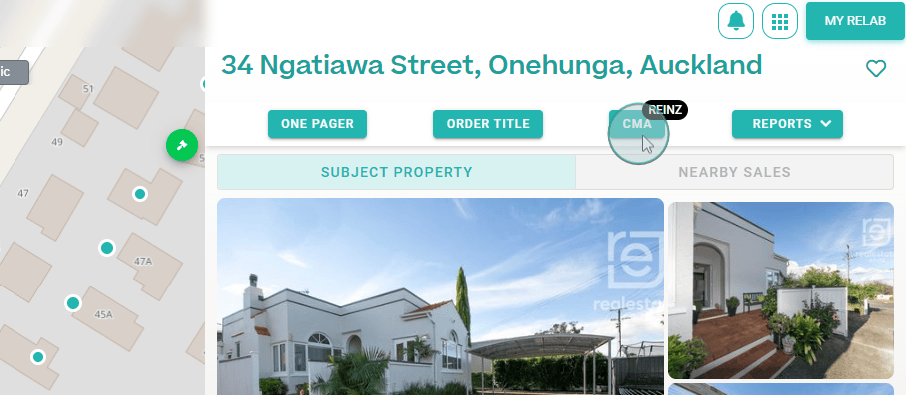
- Start a CMA
![An image of Relab CMA Property details view where the mouse hover over the CMA button]()
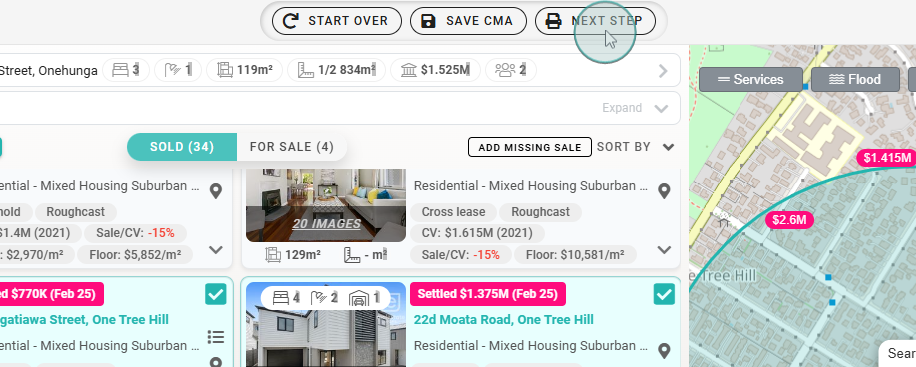
- Click "next step" to reach the Dashboard Studio
![An image of Comparable listings and sales selected for CMA appraisal, and mouse hover over Next Step button]()
- Locate Owner Details
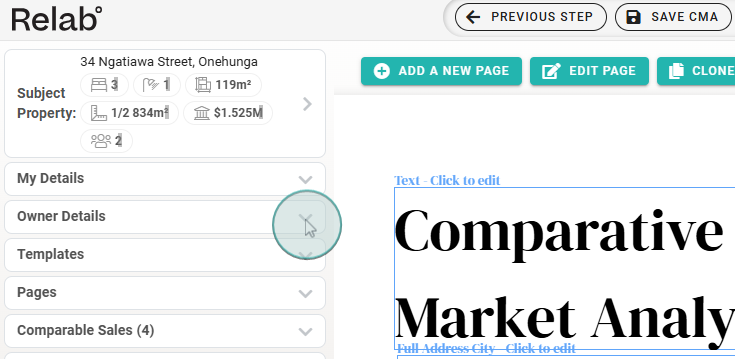
- Find "Owner Details" in the left side panel
![An image of Relab CMA mouse clicking on the Owner Details drop down menu]()
- Click the arrow to expand this section
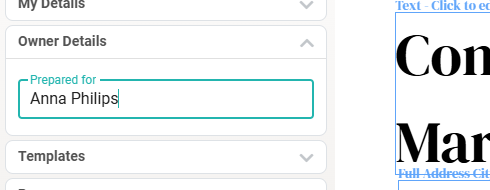
- Edit the Name
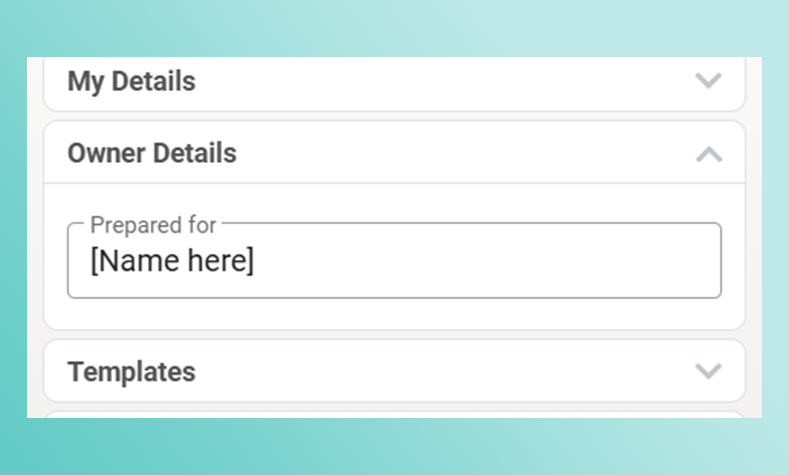
- Click directly on the ownership name field
![An image of Owner Details where user can Edit or Update for the CMA Appraisal]()
- Type the new owner name(s)
- Changes apply automatically
- Verify Changes
- Confirm the edited name appears correctly throughout your CMA
Tips for Ownership Name management
When working with ownership details in your CMA, consider these practical suggestions:
Verify Before Presenting
- Double-check ownership information before client meetings
- Develop a habit of confirming details when scheduling appointments
- Look for discrepancies between title information and client communications
Joint Ownership Formatting
- Enter both names separated by "&" or "and" (e.g., "John & Jane Smith")
- Use legal designations that appear on titles when appropriate
- Ensure consistency with how clients prefer to be addressed
Important Legal Note
- Remember that editing names for presentation purposes doesn't change legal ownership
- Always ensure you're dealing with the true legal owner(s) of the property for listing agreements and sale and purchase agreements
For guidance on verification processes, see our article on how to quickly check the true owner of a property.
Ready to Enhance Your CMA Reports?
Make your property appraisals efficient. Try Relab free with a 14-day trial and see how our CMA tools can help you make your comparative market analysis more credible.
Want to see the platform in action first? Book a personalised 20-minute demo to discover how Relab can improve your agency's workflow when creating comparable sales reports.