

For Agents
14 min read
Relab product releases
May 2025 (Released)
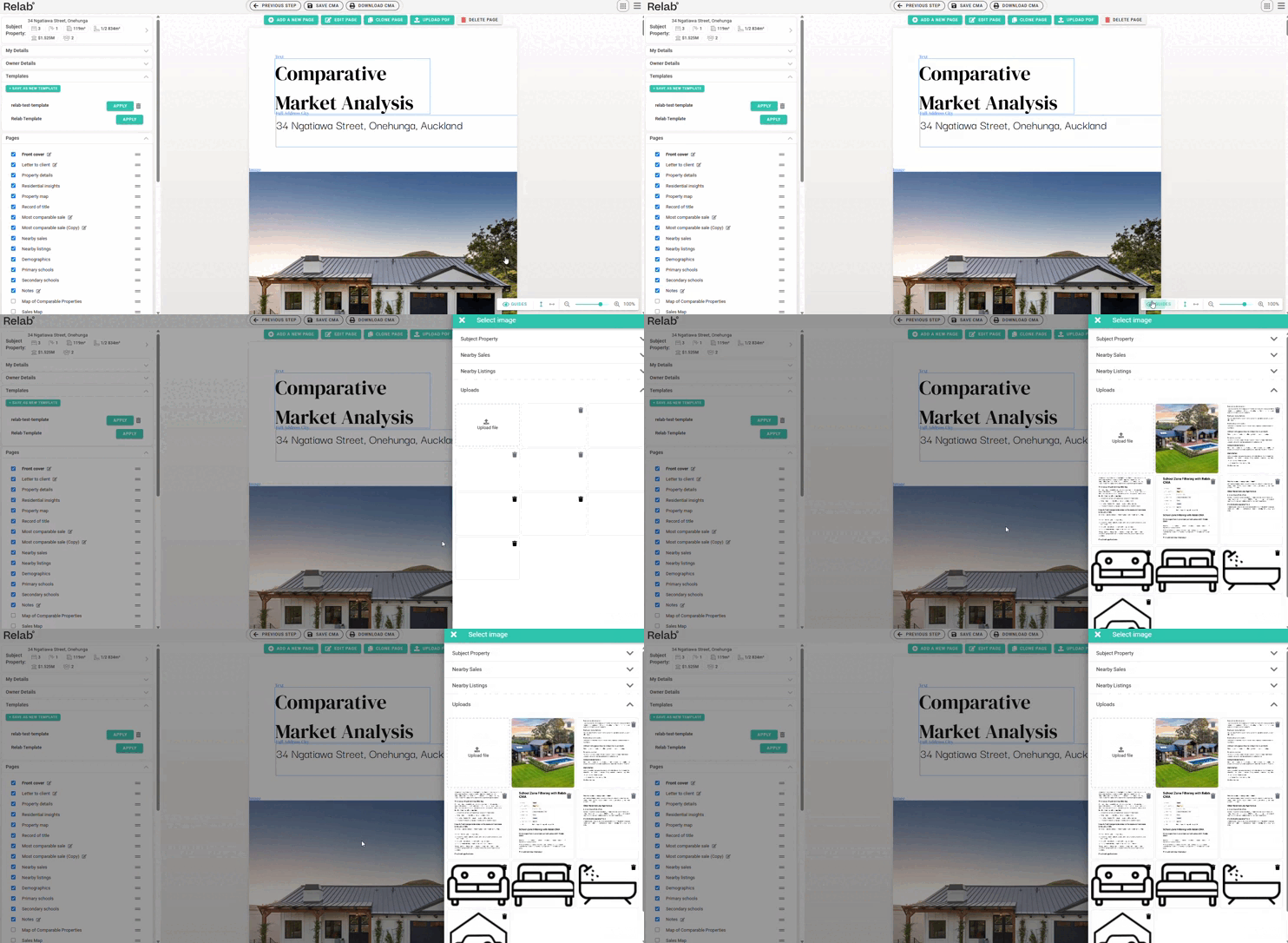
Brand New Image Selection Module
Now you can create more professional CMAs faster than ever. Our latest update gives you access to listing images on more pages across your reports, saving you time.
Key Highlights:
Instant Image Selection: Click any editable image in your CMA report and choose a listing image from the subject property, nearby sales, or listings if they are available without manual uploads.
How to Use the New Image Features:
- Click any editable image in your CMA then a right-side panel will appear
- Now you will see our brand new image selection
- Subject Property
- Nearby Sales
- Nearby Listings
- Now you can choose your desired photo from our new image selection tool if listing images are available for that property
Pro Tip: Use the 👁️ icon at the bottom right to see which images are editable on each page.
What’s New: 50km Search Radius
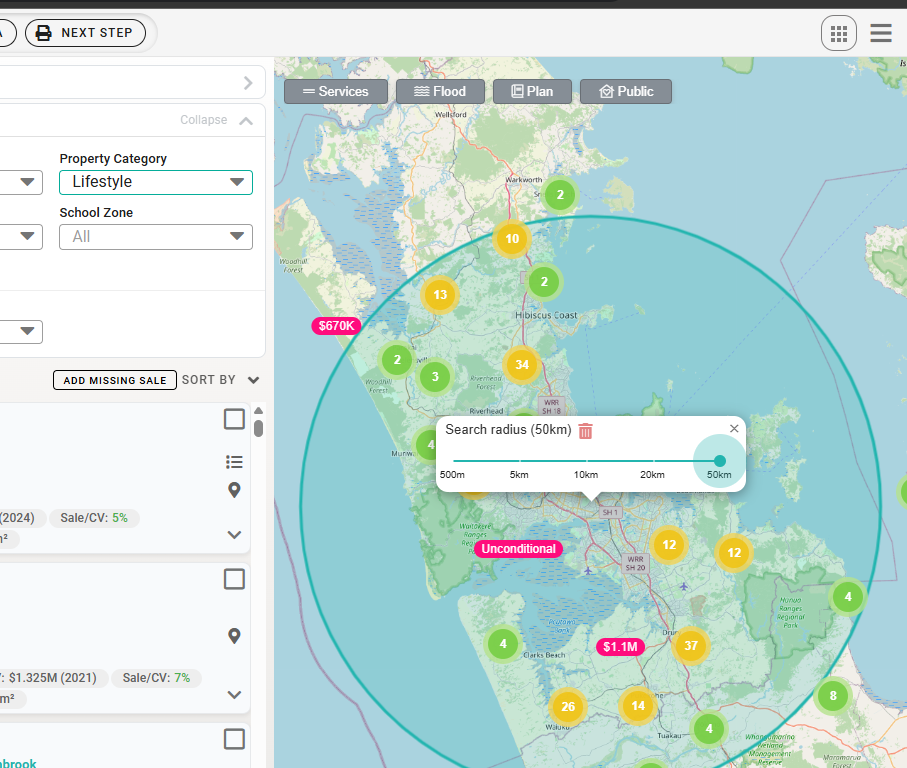
We've expanded the search capabilities for Lifestyle properties. While our default search radius remains 10km, you can now extend to 50km when the Lifestyle filter is active.
Key Benefits:
- Broader market insights for rural properties
- More comprehensive comparison data
How to Use the New 50km Radius
- Open your CMA tool
- Set "Property Category" filter to “Lifestyle”
- Now you can expand your search radius to 50km from 10km
School Zone Filtering with Relab CMA
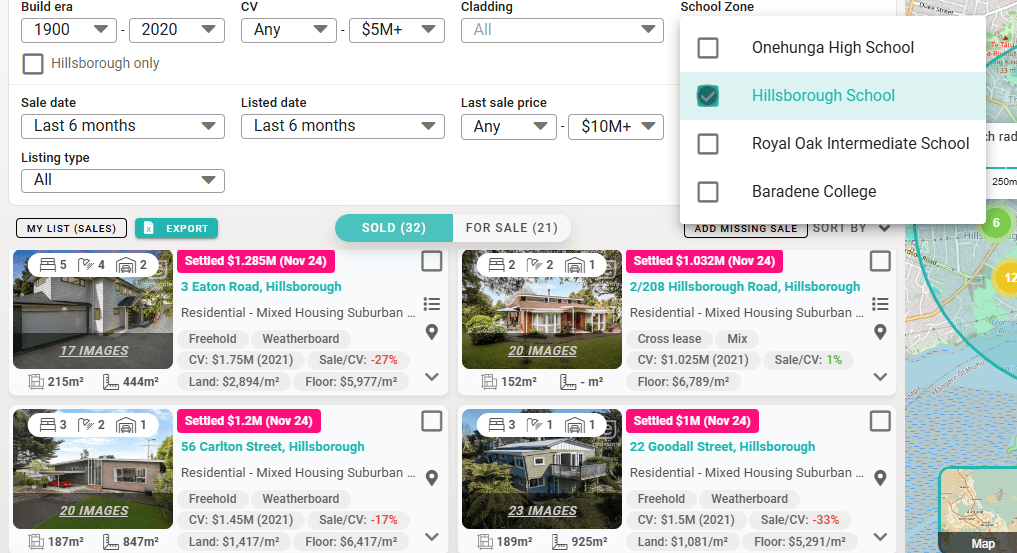
With this feature you can find properties in premium school zones with Relab CMA.
Benefits of using this feature:
- Save time when researching comparable sales
- Clearer communication with vendors about value drivers
- Enhanced market knowledge about specific school catchment areas
- Click the "School Zone" filter in your CMA
- And select from the dropdown.
More Sales History
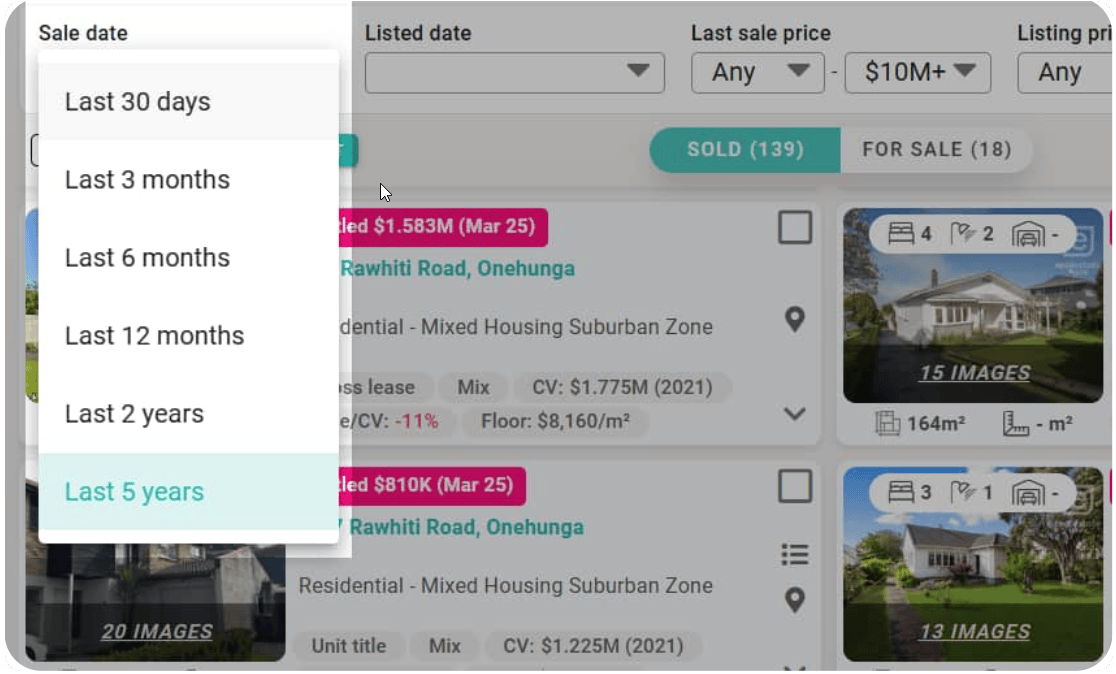
We've expanded our sales history filter, giving you access to up to 2 years & 5 years of comparable sales data instead of the previous 1 year limit.
This has been a widely requested feature for regional, commercial and luxury properties where recent comparables are harder to find.
💡 Tip: Looking for older sales data?
- Click the "Sale date" dropdown
- Select "Last 2 years" or "Last 5 years" in our CMA to broaden your comparable sales search.
CMA Design Studio Update
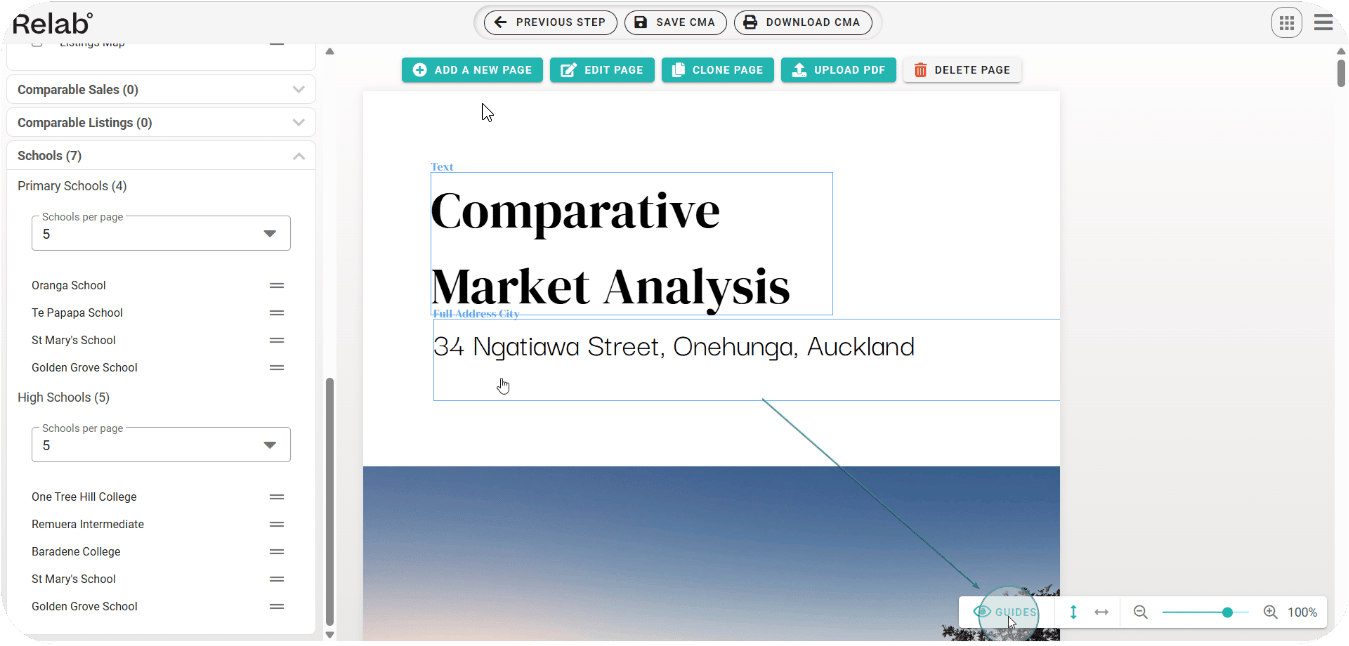
We've updated our Relab CMA design studio with blue guide boxes that indicate which sections are editable. These show exactly where you can add your own content and customisations.
You can toggle these blue guide boxes on and off while working in the CMA Design Studio. Hide them with a simple click to see a cleaner preview.
How it works:
- Click the little eye "👁️" icon at the bottom right to hide all blue guide boxes
- Click again to bring them back when you need to edit
- See your design exactly as it appears while you work
April 2025 (Released)
CMA Team Templates
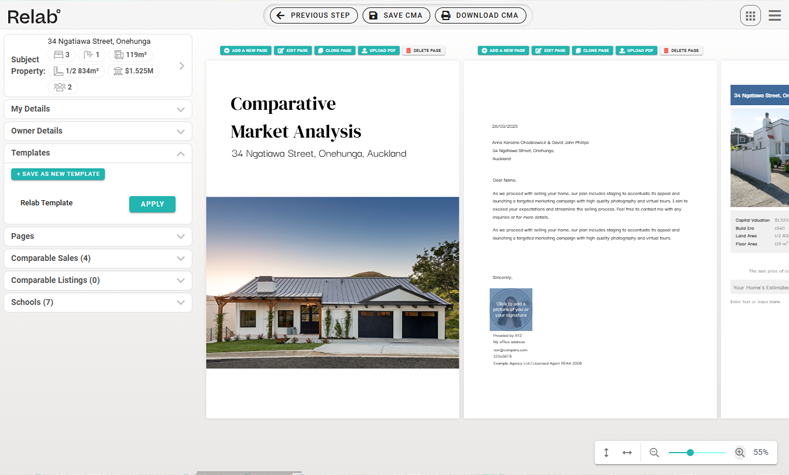
We've rolled out a new CMA Team Template feature that helps deliver professional presentations to your clients without the formatting hassle.
- Access professionally designed templates created by your team
- Present documents that reflect your agency's current branding
- Focus more time on clients and less on document preparation
March 2025 (Released)
More Listings Coverage
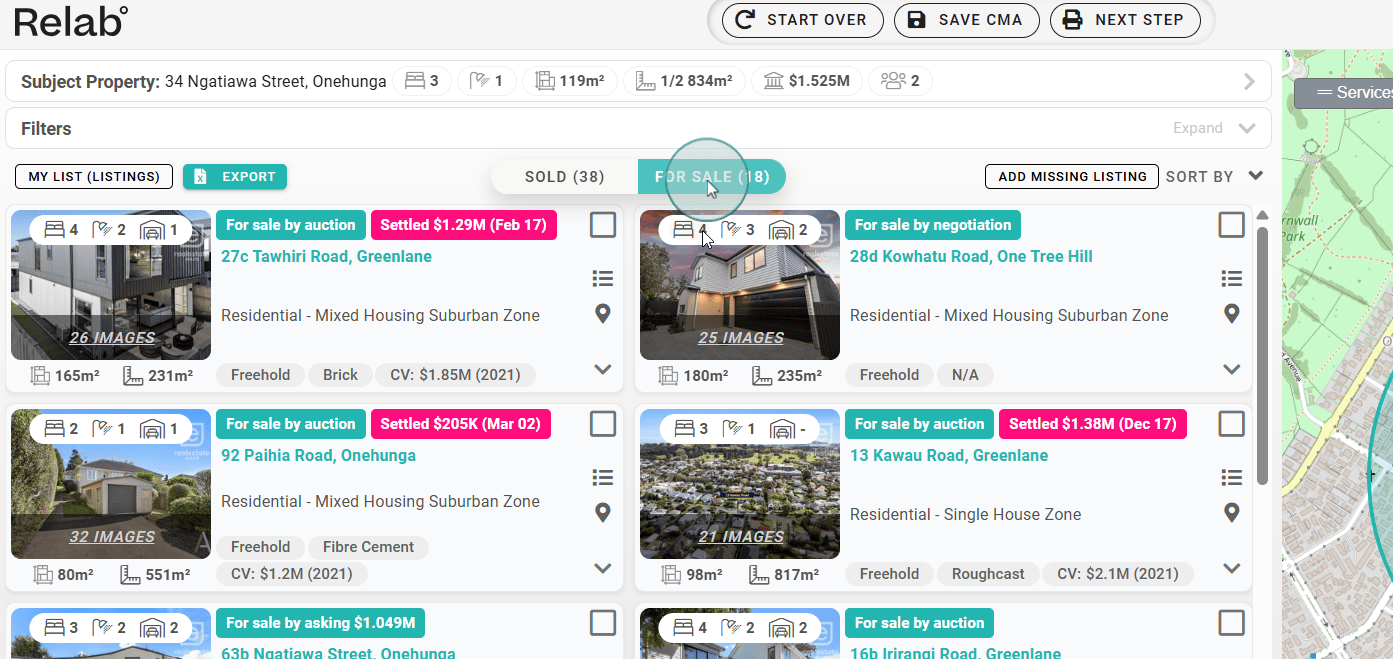
You can access more listings directly in your CMA. This update brings you:
- Most up-to-date listings to impress vendors.
- Enhanced CMA reliability with more comparable properties
New Map
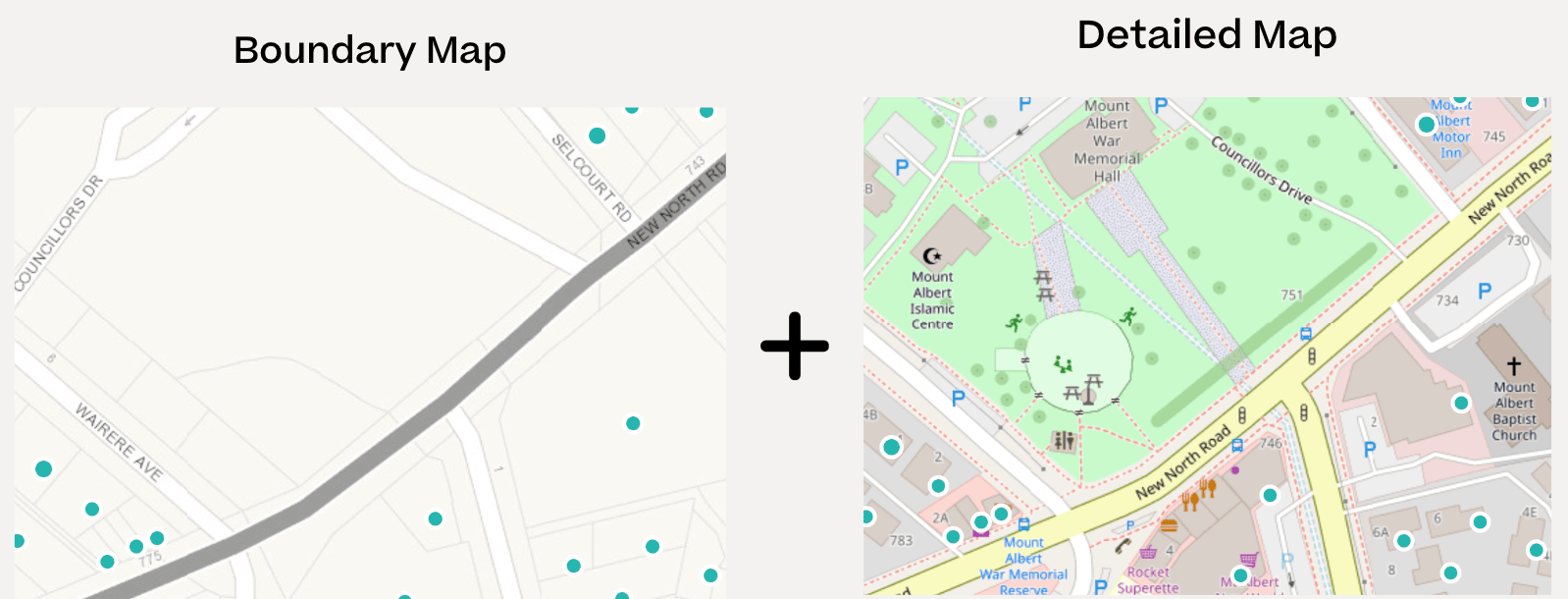
Our latest map update gives better visibility and more insights to add to your marketing toolkit, including:
- Walking tracks and pathways
- Churches and community centers
- Shop names and supermarkets
- Sports fields and recreational areas
- Paper roads showing future development
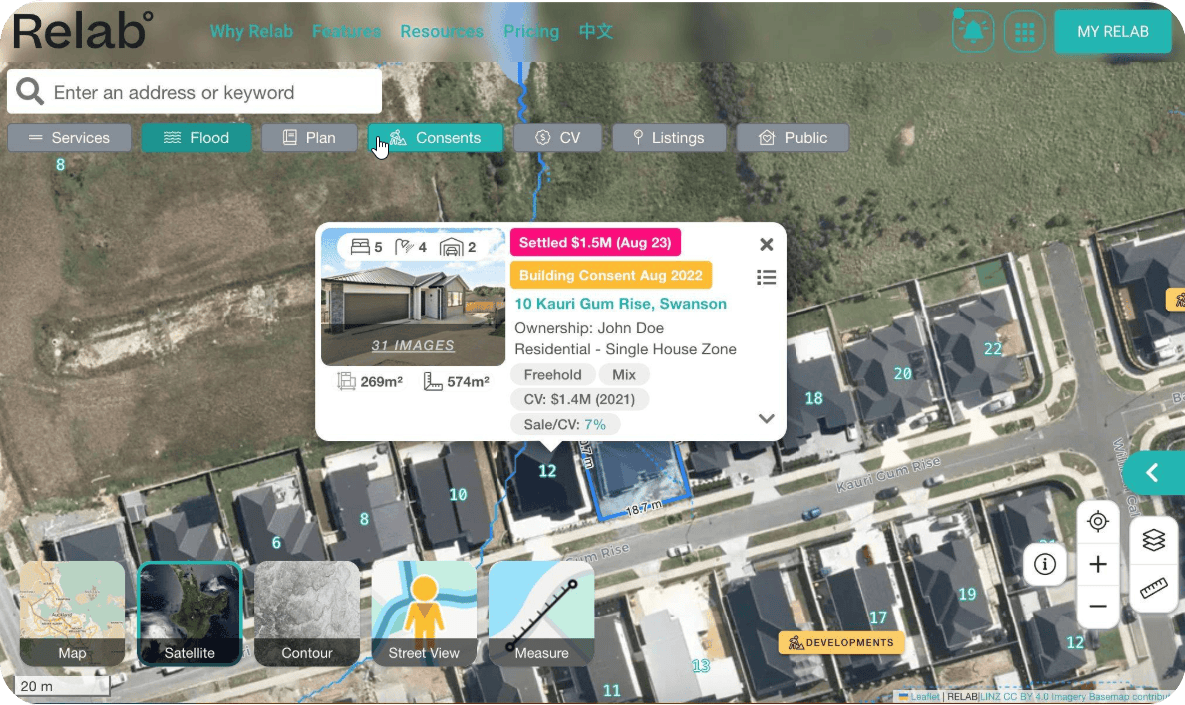
Satellite Map Upgrade
Great news for our Auckland & Waikato users - we've updated our satellite map.
The latest imagery from LINZ is now available in Relab under Satellite view. Which means:
- Better resolution (down to 0.5 metres)
- On par with Google Maps for recency in South Auckland and Waikato
- Clearer visuals for spotting development opportunities
You'll notice the difference when you switch to Satellite view.
Last updated: 17th July 2024
August 2024
- Performance enhancements
- Including non-official suburbs in street search (for example, gulf harbour and golflands)
- Enhance sales syncing
- Consents coverages for Wellington, Waikato and Canterbury
- CMA bugfixes, enhancements and new templates
- New CMA pages (maps for comparables)

July 2024
- Lots of CMA fixes and new templates
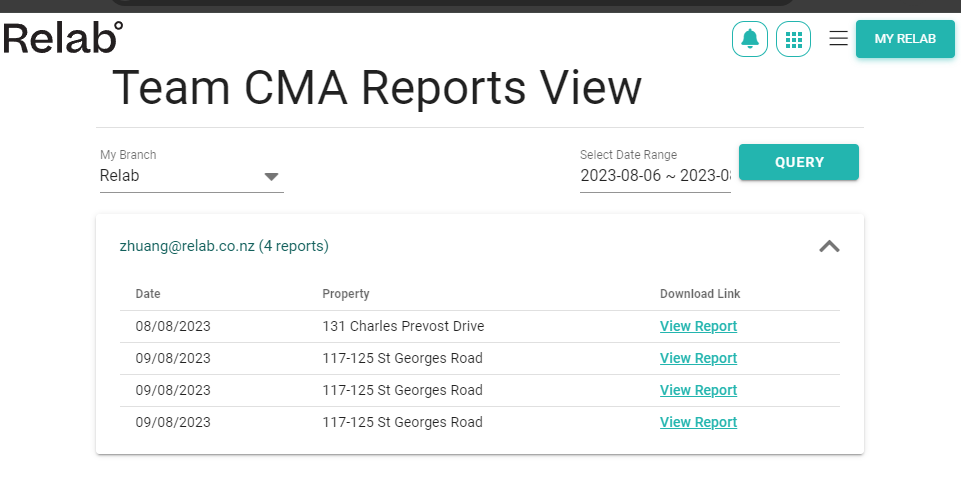
- Team Reports View

- Merge Sales and Listings Filter for CMA. Update nearby sales filters.


- Show selections for apartment/unit blocks

June 2024
CMA updates
- Hover Buttons for comparable Introducing hover buttons for comparable features. This design saves space and ensures a clean, intuitive interface where users can easily access only what they need.

Relab Pro updates
- Enhancing Property Details Panels We're improving the look and feel of the property details panel to ensure the best user experience for everyone. Expect a more intuitive and visually appealing layout.
- New Street Search Our street search feature is now more versatile. Users can select a suburb or use a keyword filter to quickly find the street they are looking for.

May 2024 (Released)
CMA updates
- Select comparable properties using polygon tool We now have a new and easier way to select your comparable properties using a polygon drawing tool on the map.
- Enhancements to CMA filters We are bringing you a number of enhancements to the CMA filter functions, so you can narrow down to your comparable properties with ease.
- CMA templates We are rolling out a number of updates to existing customers' CMA templates throughout this month. If you have template specific queries please get in touch with your account manager or Contact Us.
Relab Pro updates
- Upgrade to Relab "Property Summary" Report This report is designed to give you a summary of individual property's basic property information, title overview, transaction history as well as GIS maps. Presented in a one-pager format, you can create, download or print this report to carry our further analysis or share with your team or customers. In this update, we have expanded the data coverage as well as made it more aesthetically stunning.
- Enhancements to Relab Maps We have planned a number of mapping enhancements designed to make our map ease to use and navigate. These enhancements include map overlays, map legends as well as Google StreetView and measurements features.
April 2024 (Released)
CMA Updates
- A New Look We now have a new and easier way to view and select your comparable properties, where you can see many more at once while being able to quickly switch between Sales and Listings.
- Page Ordering You are now able to reorder the pages on your CMA simply by going to the Pages section on the Template tab and dragging the page to your desired order.
- Resize We have added the ability to resize the screen so that you can see all of the pages in your document at once - while also being able to zoom into specific details as you like.
- Horizontal Scrolling See pages side by side to see how they might look like in a booklet format simply by clicking the arrows at the bottom right of the screen.
- Automated Valuation (REINZ members only) If you are a REINZ member, you can now request to include automated high and low estimates for your subject property. Contact our sales team today to get set up with this great new feature.
Relab Pro updates
- More Professional Property Data A number of additional professional property data was added to Relab Pro, including "Bona Fide sales status", "Property Category" and "Other property improvements".
If you have any questions regarding our product updates, please feel free to Contact Us.