

For Agents
4 min read
How to Seamlessly Upload Multi-Page PDFs in Relab CMA Design Studio
Property professionals know that documentation is crucial in market analysis. In our ongoing commitment to supporting real estate agents across New Zealand, we've addressed a significant document upload limitation in our Comparable Market Analysis (CMA) design studio.
Before this update, uploading a multi-page PDF was difficult. When property professionals attempted to include comprehensive documents in their CMA, only the first page would render. This limitation meant critical information often remained unseen, potentially impacting the quality of market comparisons and reporting.
We've resolved the multi-page PDF upload issue. Now, when you upload a PDF document with multiple pages, all pages will be converted and included as images in your CMA design studio.
Here's the simplest way to get your PDFs into your CMA:
This method works across your entire CMA design studio, making document sharing straightforward and quick.
Sometimes you need a bit more flexibility. Here's another way to upload your PDFs:
No more partial document uploads or frustrating workarounds. Now, when you upload a PDF, you'll get the entire document - every single page. This means:
Ready to make your CMA more efficient? Give these new upload methods a go.
Relab’s updated PDF upload feature makes it easy to include all pages of your multi-page documents in your CMA reports. Focus on what matters—providing the best property analysis for your clients.
New to Relab? Start your 14-day free trial here and explore how our CMA design studio can enhance your property appraisals.
Interested in seeing the platform in action? Book a personalized 20-minute demo to discover how Relab can support your agency’s workflow and improve your property comparisons.
The Previous Challenge
Before this update, uploading a multi-page PDF was difficult. When property professionals attempted to include comprehensive documents in their CMA, only the first page would render. This limitation meant critical information often remained unseen, potentially impacting the quality of market comparisons and reporting.
What's Changed
We've resolved the multi-page PDF upload issue. Now, when you upload a PDF document with multiple pages, all pages will be converted and included as images in your CMA design studio.
How to Upload PDFs: The Quick Method
Here's the simplest way to get your PDFs into your CMA:
- Open CMA
- Select your comparables, click 'Next Step'
- In Relab’s CMA design studio, look for the 'Upload' button at the top of the page
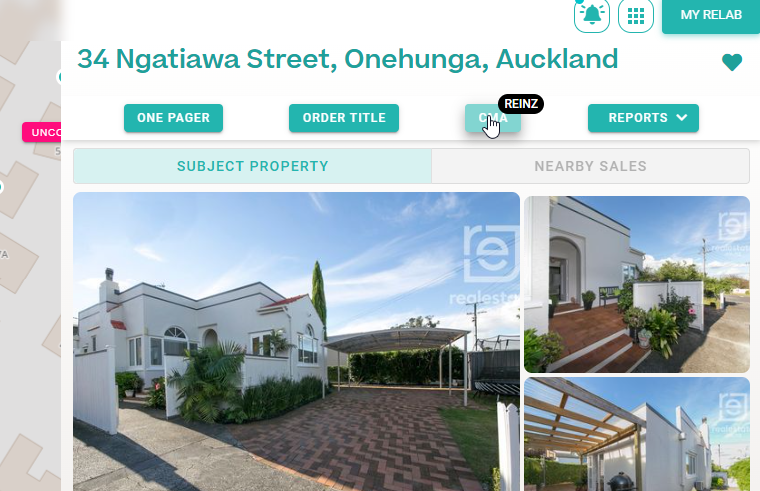


This method works across your entire CMA design studio, making document sharing straightforward and quick.
Alternative Upload Method: Editable Page View
Sometimes you need a bit more flexibility. Here's another way to upload your PDFs:
- Look for the Edit Page button with a pencil icon (✏️)
- Note: Not every page will have this button
- Click the Edit Page button, then you'll be directed to the Editable page view
- Then upload your PDF file there
What This Means for You
No more partial document uploads or frustrating workarounds. Now, when you upload a PDF, you'll get the entire document - every single page. This means:
- Complete documentation in your CMA
- Less time spent managing file uploads
- More time focusing on what matters - your property analysis
Ready to make your CMA more efficient? Give these new upload methods a go.
Ready to Simplify Your CMA Workflow?
Relab’s updated PDF upload feature makes it easy to include all pages of your multi-page documents in your CMA reports. Focus on what matters—providing the best property analysis for your clients.
New to Relab? Start your 14-day free trial here and explore how our CMA design studio can enhance your property appraisals.
Interested in seeing the platform in action? Book a personalized 20-minute demo to discover how Relab can support your agency’s workflow and improve your property comparisons.